Social Media EXIF Privacy: TikTok, Snapchat, Twitter Test
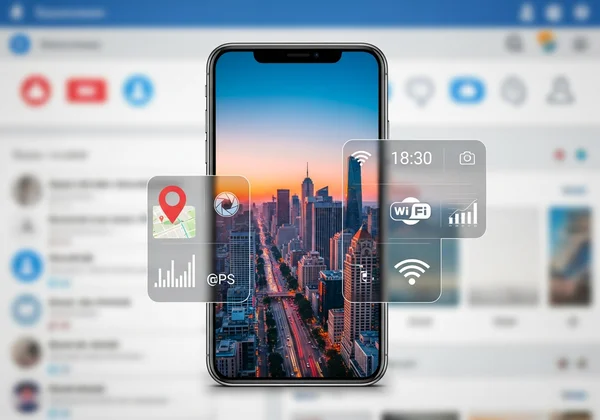
Are your photos revealing more than you think on social media? I used to share photos without a second thought, until I discovered one of my pictures was broadcasting my home's exact GPS location. Every image you share contains a hidden digital fingerprint called EXIF data, which can include your location, the time the photo was taken, and even your phone model. While you focus on the picture, this invisible information could be exposing your personal life to the world.
This guide puts today's most popular platforms to the test. We conducted our own 2025 investigation into TikTok, Snapchat, and Twitter to see if they truly protect your privacy by removing this sensitive data. We'll show you what we found and, most importantly, how you can take control. Before you post again, you can easily check your photos to see what information they carry.
What is EXIF Data & Why Social Media Privacy Matters
EXIF (Exchangeable Image File Format) data is the metadata that your camera or smartphone automatically embeds into every photo you take. Think of it as a digital label attached to the image file. It contains technical details about the photo, but it can also hold personal information that poses a significant privacy risk.
Common EXIF Data Points & Their Privacy Risks
While some EXIF data is harmless, several data points can be surprisingly revealing. Understanding these is the first step toward protecting your digital footprint.
-
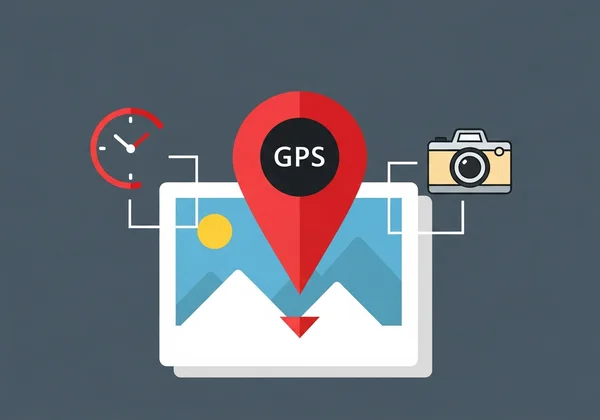
GPS Coordinates: The most critical risk. If your camera's location services are on, your photo can contain the precise latitude and longitude of where it was taken. This could reveal your home address, workplace, or your children's school.
-
Date and Time: This shows the exact moment a photo was captured. Over time, this can establish patterns about your daily routine, like when you are typically away from home.
-
Camera/Device Information: This includes the make and model of your camera or phone (e.g., Apple iPhone 15 Pro, Canon EOS R5). While less sensitive, it can be used by malicious actors to identify potential device vulnerabilities.
-
Unique Image ID: Some cameras assign a unique serial number or ID to each photo, which could potentially be used to link different photos to the same device.
The Need for EXIF Data Removal Before Sharing
Relying on social media platforms to protect you is a gamble. Each platform has its own policy for handling metadata, and these policies can change without notice. Posting a photo with EXIF data is risky. It's like handing out your personal info with every share.
The safest approach is proactive. By checking and clearing this data before you upload, you take full control of your privacy. You decide what information goes public, ensuring that your shared memories don't come with unintended security risks. This simple step gives you control, making you an informed and secure digital citizen.
TikTok EXIF Data Policy: Our 2025 Test Results
TikTok is a global phenomenon built on short, engaging videos and images. But how does it handle the hidden data in the photos you upload? We put it to the test to give you a clear answer for 2025.
Our Testing Methodology for TikTok Photos
To ensure our results were accurate, we followed a simple and repeatable process. We snapped a photo on a modern smartphone with location services on. Then, we confirmed its full EXIF data—GPS, device model, timestamp—using an online tool.
Next, we uploaded this original photo directly to TikTok as an image post. After the upload was complete, we downloaded the image back from our TikTok profile. Finally, we analyzed the downloaded file to see which pieces of the original EXIF data remained and which had been stripped away.
Before & After: What TikTok Strips (and What it Keeps)
Our test results were conclusive and encouraging for privacy advocates. TikTok was highly effective at stripping metadata from the uploaded photo.
- GPS Location: Completely removed. The downloaded image contained no geographic coordinates.
- Date and Time: Removed. The original timestamp was gone.
- Device Information: Removed. The specific smartphone model and camera settings were no longer present.
Verdict: TikTok appears to have a robust process for removing all significant EXIF data from uploaded images. While this is great news, policies can change. It's always best to check for yourself before uploading anything sensitive.

Snapchat EXIF Stripping: What We Found
Snapchat's core feature is its ephemeral nature—messages and images that disappear. This focus on temporary content suggests a strong commitment to privacy. We investigated whether that commitment extends to hidden metadata.
Does Snapchat Prioritize Privacy with Metadata?
Using the same methodology, we uploaded our test image to Snapchat. We sent it as a Snap and also saved it to our Memories, then exported it from the platform. The results were consistent with TikTok's.
Snapchat aggressively strips EXIF data from images that pass through its platform. The exported image was completely clean of any identifying metadata. There were no GPS tags, no device information, and no original timestamps. The platform rebuilds the image file during its processing, leaving the original metadata behind.
Key Takeaways for Snapchat Users
For users concerned about EXIF data, Snapchat appears to be one of the safer platforms. Its system is designed to remove the digital trail associated with your original photo file.
This only covers Snaps sent via the app. If you export to your camera roll and reshare? Always check the metadata first. Peace of mind comes from knowing for sure what your files contain.
Twitter Photo Metadata Privacy: The Verdict
Twitter (now X) is a hub for real-time news and public conversation, where images are shared instantly and widely. We examined how the platform handles the metadata of these millions of daily image uploads.
How Twitter Handles Uploaded Image Metadata
Our tests on Twitter revealed a similar pattern. We uploaded our photo with full EXIF data, then downloaded it from our timeline. Upon inspection, the downloaded image was scrubbed clean of all key personal identifiers.
Twitter's image processing pipeline effectively removes GPS location, camera details, and other potentially sensitive EXIF tags. This is a crucial security measure. It helps protect users from having their location or habits tracked through the images they post.
Ensuring Your Privacy on Twitter
Like the other platforms, Twitter currently does a good job of stripping metadata. However, the golden rule of digital privacy is to never trust, always verify. Your data is your responsibility.
Before posting a photo from a sensitive location, such as your home or a private event, take a few seconds to review its metadata. Using a private, browser-based tool is the fastest and most secure way to ensure you are not accidentally broadcasting private information. You can use our secure viewer without ever uploading your file to a server.
Protecting Your Privacy: Quick EXIF Data Removal Steps
While major social media platforms seem to be removing EXIF data, this isn't a universal guarantee. Smaller forums, personal blogs, and email clients often leave this data completely intact. The only way to be certain your privacy is protected is to manage your photo metadata yourself.
Browser-Based Tools for Viewing EXIF Data (e.g., EXIFData.org)
The first step to managing your metadata is seeing it. You need a tool that can quickly and safely read the EXIF data embedded in your images. Browser-based viewers like our online EXIF viewer are the ideal solution for this.
The key advantage is privacy. Unlike other programs or sites, our tool processes your photos directly in your browser. Your image file is never uploaded to a server, so your private photos remain private. This allows you to see exactly what a social media platform or anyone else would see if the data wasn't stripped.

Verifying EXIF Data After Removal
If you use software to remove metadata, how do you confirm that it actually worked? Verification is a critical final step.
After using any tool to strip your data, always double-check the file. A reliable EXIF viewer gives you that final confirmation. Just load the edited photo and make sure sensitive fields like GPS and device info are empty. This quick check provides complete peace of mind before you hit "share."
Final Thoughts
In our 2025 hands-on tests, TikTok, Snapchat, and Twitter stripped key EXIF data—but don't bet your privacy on their policies staying the same tomorrow. We've seen platforms flip policies overnight. Relying on them completely is a gamble with your personal information.
True digital safety comes from taking control. By understanding what hidden data is and checking your photos before you share them, you can prevent accidental exposure of your location, routines, and device details. This simple habit is the key to sharing confidently and securely.
Ready to see what your photos are hiding? Before you post your next picture, take 30 seconds to check its hidden data for free. Stay safe and share smarter.
Curious Minds Ask
Do screenshots have EXIF data?
Generally, screenshots do not contain the same rich EXIF data as photos taken with a camera, such as GPS location or camera settings. However, they do contain some basic metadata, like the date and time they were created and the device model. It’s always a good practice to check if you are concerned about any attached information.
Does Instagram remove EXIF data in 2025?
While our main test focused on TikTok, Snapchat, and Twitter, historical data shows that Instagram, like its parent company Meta (Facebook), also strips EXIF data from photos upon upload. Their image compression and processing systems typically remove all sensitive metadata, including GPS tags.
What is the best online tool to check photo metadata?
When choosing a tool, prioritize your privacy. Look for one that processes images directly in your browser, so your photos are never uploaded to a server. For example, a tool like EXIFData.org offers this client-side processing, ensuring your private files remain secure while you get instant results.
Can GPS location be hidden in photos?
Absolutely. You can prevent GPS data from being saved in the first place by turning off location services or geotagging in your smartphone's camera settings. If a photo already contains GPS data, you can use various software tools to remove it before sharing the image online.